|
Add New Class
If the grid list is empty, or you want to create a new class, click on the “Add New Class” button at the bottom left of the grid table list.
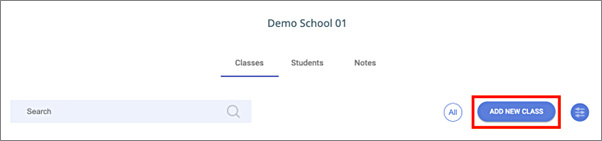
Figure 79: Click the “Add new Class” button to create a new class
When you click this button, a new popup window will appear.
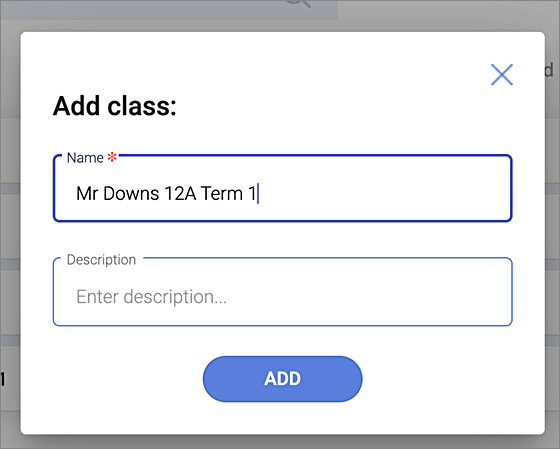
Enter the name you wish to call your class. Some teachers like to use their name and date: Ms Smith June 2023. Other teachers prefer a class code like 12A – term 2.
It is your choice what you call your class.
This initiative is supported by funding from the
Queensland Government's Community Road Safety Grants scheme.
|

